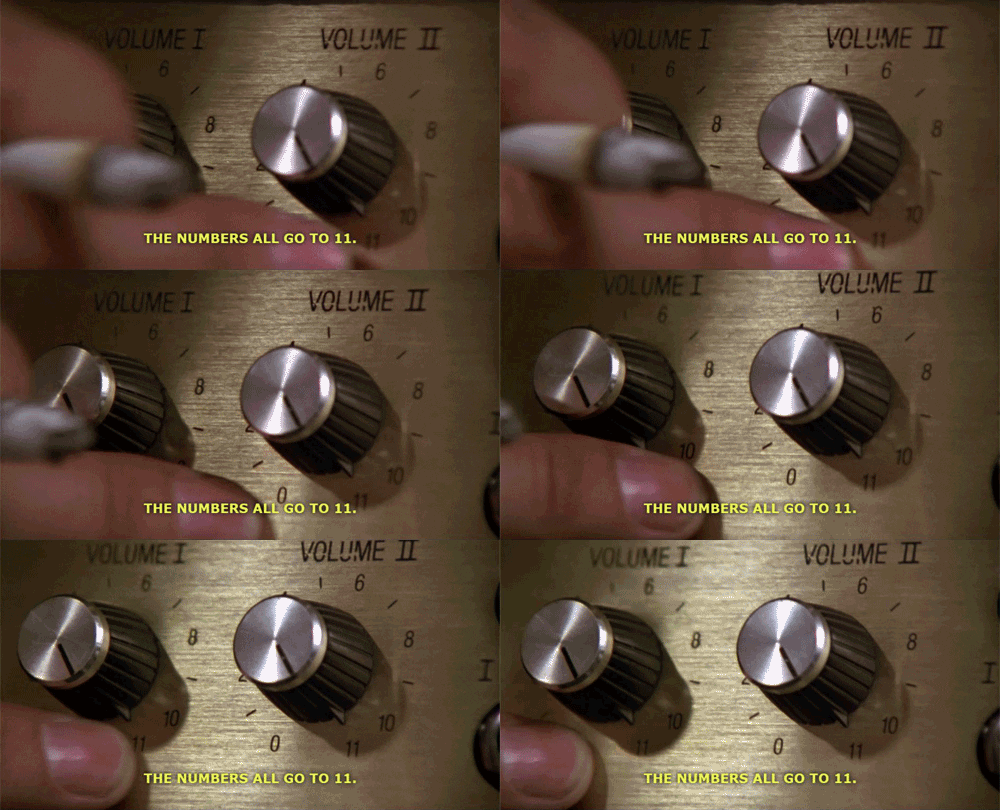
Sorted Union

From the FreeCodeCamp intermediate algorithms here:

Write a function that takes two or more arrays and returns a new array of unique values in the order of the original provided arrays.

In other words, all values present from all arrays should be included in their original order, but with no duplicates in the final array.

The unique numbers should be sorted by their original order, but the final array should not be sorted in numerical order.

Check the assertion tests for examples.

FreeCodeCamp – Sorted Union

For this challenge it’s necessary to loop through the given arguments in order to check what elements are in the first, then the second, and so on. And then to return unique values (in their given order) in an array.

In order to achieve this, one way is to nest another loop within the first to check the contents of each element, and add any unique elements into the array that will be returned. This is how I approached this challenge. As usual with coding challenges I have no doubt that there are other ways. Especially with modern javascript!

My solution:

function uniteUnique(arr) {
  // console.log(arguments)
  let response = [];
  for (let i = 0; i < arguments.length; i++) {
    for (let j = 0; j < arguments[i].length; j++) {
      if (!response.includes(arguments[i][j])) {
        response.push(arguments[i][j]);
      }
    }
  }
  return response;
}

uniteUnique([1, 3, 2], [5, 2, 1, 4], [2, 1]);

For this challenge I originally thought that I could just copy over the first argument into the return array, and then only loop through any additional arrays if they existed. Below is my code / pseudo-code.

function uniteUnique(arr) {
  let returnArr = arguments[0];
  if (arguments.length > 1) {
    for (let i = 1; i < arguments.length; i++) {
      if (arguments[i] contains elements not in returnArr) {
        returnArr.push(elements)
      }
    }
  }
  return returnArr;
}

Unfortunately this did not work as intended. This is because I would still need to nest a loop (I’d need two layers of loop) in order to access and check each item in the subsequent given arrays.

So for example the first test says:

uniteUnique([1, 3, 2], [5, 2, 1, 4], [2, 1]) should return [1, 3, 2, 5, 4].

One loop would let the function access each of the given arrays, like so:

[1, 3, 2] – or ‘ arguments[0] – this would become the return array.

[5, 2, 1, 4] – ‘arguments[1]’ – and

[2, 1] – ‘arguments[2]’

Each of these arrays would be checked by the for loop, but without another nested array each of the elements contained within these arrays would not be inspected. So the 5, 2, 1 and 4 would be looked at as one, and not as individual numbers. The first array includes ‘1’ and ‘2’, but it’s not the same as the second array. So my code / pseudo-code above would return:

[1, 3, 2, [5, 2, 1, 4], [2, 1]]

Using another for loop we can get the code to access each array, and then (in the nested for loop) each item in those arrays. Doing so will check the return array for ‘5’, ‘2’, ‘1’ and ‘4’ (and so on) individually, and so will end up returning the desired array:

[1, 3, 2, 5, 4]

Cool. 😎

If you did this challenge – how did you / would you solve it?

Missing Letters

From the FreeCodeCamp intermediate algorithms here:

Find the missing letter in the passed letter range and return it.

If all letters are present in a range, return undefined.

FreeCodeCamp – Missing Letters

There’s not too much to say about this one. One thing which I can note is that JavaScript, as a language, is extremely helpful.

In this challenge you need to iterate through the given string, and essentially check that each item is in alphabet order. If an item is not in alphabet order it means that a letter has been missed out (that’s obviously only specifically in this challenge – and you may have to do other checks IRL). So once you’ve found that there is a missing letter, you can ‘ascii-ertain’ what that letter is and return it (…see what I did there? Not funny, I know.)

The ASCII table shows how computers, and programming languages, interpret characters – in decimal format.

Coupled with the helpful JavaScript String methods: String.fromCharCode() and charCodeAt() you can return the missing letter with some simple maths!

My solution:

function fearNotLetter(str) {
  for (let i = 1; i < str.length; i++) {
    if (str.charCodeAt(i) - str.charCodeAt(i-1) > 1) {
      return String.fromCharCode(str.charCodeAt(i - 1) + 1);
    }
  }
}

fearNotLetter("abce");

The FreeCodeCamp forum has some extra information, and some helpful links about the String global object and it’s methods.

DNA Pairing

From the FreeCodeCamp intermediate algorithms here:

The DNA strand is missing the pairing element. Take each character, get its pair, and return the results as a 2d array.

Base pairs are a pair of AT and CG. Match the missing element to the provided character.

Return the provided character as the first element in each array. For example, for the input GCG, return [[“G”, “C”], [“C”,”G”],[“G”, “C”]].
The character and its pair are paired up in an array, and all the arrays are grouped into one encapsulating array.

FreeCodeCamp – DNA Pairing

Although I was able to get this one done fairly quickly I don’t think I’ll be relied upon by DNA scientists for my algorithm writing any time soon 😂…

I’ve no doubt there will be a better way to do this but I decided to break the given string into an array of characters, and then check each item individually (with a for loop) and replace that item (using the splice method) with an array of the correct pairing.

Sting.split(”) places each character into an array. So then for ‘CGC’, we would have [‘C’, ‘G’, ‘C’].

And then the for loop goes through each element and checks via a set of ‘if, else’ statements the letter and then acts according to it. Like this:

if (arr[i] == 'G') {
arr.splice(i, 1, ['G', 'C']);
} else if (arr[i] == 'C') {
arr.splice(i, 1, ['C', 'G']);
} etc.

So for the first entry of the array: [‘C’, ‘G’, ‘C’] which is ‘C’, a .splice() method is used to remove that entry and in its place insert a nested array of [‘C’, ‘G’]. The method needs to take the following parameters to have the desired effect:

arr.splice(i, 1, ['C', 'G'])

The parameters do the work and make sure it’s done in the correct place. They are separated by commas, so this call has three arguments. What they mean here is:

  1. from the i’th element (according to the for loop),
  2. a count of one element needs to be removed and
  3. replaced by [‘C’, ‘G’].

At this point the array is now [[‘C’, ‘G’], ‘G’, ‘C’]. And the for loop will begin again with i’s value increased by one. And so on the next round it will check ‘G’ and replace this using a similar splice method, and so on until the for loop is finished because i has reached the value of the original array’s length.

Thinking about it now a more concise way to write this code would have been to use a switch statement instead of a series of if / else if statements. And an even more concise way would be to use the map method. Here are all three solutions:

My original solution:

function pairElement(str) {
  let arr = str.split('');
  for (let i = 0; i < arr.length; i++) {
    if (arr[i] == 'G') {
      arr.splice(i, 1, ['G', 'C']);
    } else if (arr[i] == 'C') {
      arr.splice(i, 1, ['C', 'G']);
    } else if (arr[i] == 'A') {
      arr.splice(i, 1, ['A', 'T']);
    } else if (arr[i] == 'T') {
      arr.splice(i, 1, ['T', 'A']);
    }
  }
  return arr;
}

pairElement("GCG");

FreeCodeCamp solutions, one with a switch statement, and the other with the map method:

// 1 - with switch statement

function pairElement(str) {
  // Return each strand as an array of two elements, the original and the pair.
  var paired = [];

  // Function to check with strand to pair.
  var search = function(char) {
    switch (char) {
      case "A":
        paired.push(["A", "T"]);
        break;
      case "T":
        paired.push(["T", "A"]);
        break;
      case "C":
        paired.push(["C", "G"]);
        break;
      case "G":
        paired.push(["G", "C"]);
        break;
    }
  };

  // Loops through the input and pair.
  for (var i = 0; i < str.length; i++) {
    search(str[i]);
  }

  return paired;
}

// test here
pairElement("GCG");

// 2 - with object & map method

function pairElement(str) {
  //create object for pair lookup
  var pairs = {
    A: "T",
    T: "A",
    C: "G",
    G: "C"
  };
  //split string into array of characters
  var arr = str.split("");
  //map character to array of character and matching pair
  return arr.map(x => [x, pairs[x]]);
}

//test here
pairElement("GCG");

More information about the FreeCodeCamp solutions can be found here.

Search & Replace

From the FreeCodeCamp Intermediate Algorithms Challenges, here:

Perform a search and replace on the sentence using the arguments provided and return the new sentence. First argument is the sentence to perform the search and replace on. Second argument is the word that you will be replacing (before). Third argument is what you will be replacing the second argument with (after).

FreeCodeCamp – Search & Replace

This is the seventh of 21 ‘Intermediate Algorithm Scripting’ lessons/challenges on FreeCodeCamp. That means I’m a third of the way through this section!

I’ve not really written too much about this one… it’s further practice with regular expressions and with both string and array methods. All of which is great practice.

Looking back 👀 at my code I can see that:

  • I split the given sentence into an array of words.
  • I checked each word in the array to see if it matched the given ‘before’ variable.
    • If it did match I assigned it to a new variable called ‘word’.
    • Then I checked to see if it had a capital letter at the beginning by using a regular expression test.
      • If it did I created a new string called ‘afterCap’ for the given ‘after’ word and assigned it the word but with a capital letter.
    • I then used the splice method to replace the ‘before’ word with either the given ‘after’ word or the ‘afterCap’ word based on if the ‘before’ word had a capital or not.
  • Finally I returned the array as a string by using the join method.

👍

My solution:

function myReplace(str, before, after) {
  let sentence = str.split(' ');
  for (let i = 0; i < sentence.length; i++) {
    if (sentence[i] == before) {
      let word = sentence[i];
      if (/[A-Z]/.test(word[0])) {
        let afterCap = after.charAt(0).toUpperCase() + after.slice(1);
        sentence.splice(i,1,afterCap);
      } else {
        sentence.splice(i,1,after);
      }
    }
  }
  return sentence.join(' ');
}
myReplace("A quick brown fox jumped over the lazy dog", "jumped", "leaped");

Pig Latin – ‘igpay atinlay’

From the FreeCodeCamp Intermediate Algorithms Challenges, here:

Translate the provided string to pig latin.

Pig Latin takes the first consonant (or consonant cluster) of an English word, moves it to the end of the word and suffixes an “ay”. If a word begins with a vowel you just add “way” to the end. If a word does not contain a vowel, just add “ay” to the end. Input strings are guaranteed to be English words in all lowercase.

FreeCodeCamp – Pig Latin

When first approaching this problem I thought it may involve regex – but I was concerned that it might have been quite complex, and perhaps I’d need to spend some time learning more complex regex patterns.

However, I was surprised to find that I really only needed a consonant regex, and a vowel regex. Some quick searching also let me know that I could use {1,} to get the regex to check for one or more of each consonant or vowel, which is helpful.

Initially I tackled the word beginning with a vowel – I recalled that the .search() method would be useful as it returns the index of first occurrence of the tested regex. So as long as that equaled zero, the word must begin with a vowel. That would mean that all I’d need to do is concatenate the given string and ‘way’.

Then to tackle the word beginning with one or more consonants, I thought I could actually do something quite similar. My consonant regex will already be checking for one or more so I had consonant clusters covered. Even if the regex found was more than one character the .search() would still need to be equal to zero for the consonant/cluster to be at the start of the word.

From here all I’d need to do is create a new string which is from the old string but had the instance of the regex replaced with nothing (which is this line of code: let newStr = str.replace(regex, '');), and then concatenate the new string, the found regex and ‘ay’, which will create the correct return string.

My solution:

function translatePigLatin(str) {
  let regex = /[bcdfghjklmnpqrstvwxyz]{1,}/;
  let vowelRegex = /[aeiou]{1,}/;
  let found = str.match(regex);
  if (str.search(vowelRegex) == 0) {
    return str += 'way';
  } else if (str.search(regex) == 0) {
    let newStr = str.replace(regex, '');
    return newStr + found + 'ay';
  }
}

translatePigLatin('consonant'); // 'onsonantcay'

Spinal Tap Case – spinal-tap-case

From the FreeCodeCamp Intermediate Algorithms Challenges, here:

Convert a string to spinal case. Spinal case is all-lowercase-words-joined-by-dashes.

FreeCodeCamp – Spinal Tap Case

Let’s turn it up to eleven!

This was a great problem to learn more about RegEx and just how powerful it can be…

Surely like most others attempting this problem, I began by stringing together .toLowerCase() and .replace(), and just included within the replace parenthesis a simple RegEx: /\s|_/g which looks for either white space or an underscore globally (so throughout the whole string) and then replace it with a dash by passing ‘-‘ as the second argument in the replace method.

Of course like everyone else I quickly hit the issue here… What about ‘camelCase’, or just CapitalisedWordsWithoutSpaces!?

I did some searching and found that I was unaware of two powerful things about RegEx!

  1. That RegEx is able to to search for multiple groups of matches. By using parenthesis you can search for one group and then follow it up with a search for another grouping. The example here being ‘search this string for one lowercase letter followed by an uppercase letter’, or in RegEx language: /(a-z)(A-Z)/g.
  2. That the RegEx created can be referred to, and re-substituted back into use by using $1, or $2 – with the number referring to the grouping in the original RegEx. So in this example we can replace the string with a new string like this let regexStr = str.replace(/([a-z])([A-Z])/g, "$1 $2");.

Fantastic! So all we need to do is make sure any words that are capitilised but without spaces get spaces added to them (we need to remember to create a new string to do this, because strings are immutable), and then we can return another new string which replaces any spaces or underscores with dashes, and rock on!

My solution:

function spinalCase(str) {
  // "It's such a fine line between stupid, and clever."
  // --David St. Hubbins
  let regexStr = str.replace(/([a-z])([A-Z])/g, "$1 $2");
  return regexStr.toLowerCase().replace(/\s|_/g, '-');
}
spinalCase('This Is Spinal Tap');

FreeCodeCamp solutions:

// One:
function spinalCase(str) {
  // Create a variable for the white space and underscores.
  var regex = /\s+|_+/g;
  // Replace low-upper case to low-space-uppercase
  str = str.replace(/([a-z])([A-Z])/g, "$1 $2");
  // Replace space and underscore with -
  return str.replace(regex, "-").toLowerCase();
}
// test here
spinalCase("This Is Spinal Tap");
// Two:
function spinalCase(str) {
  // "It's such a fine line between stupid, and clever."
  // --David St. Hubbins
  return str
    .split(/\s|_|(?=[A-Z])/)
    .join("-")
    .toLowerCase();
}

The second FCC solution is using a different method – changing the string into an array (with breaks at white space, underscores or single capital letters), then back to a string (by joining each array entry with a dash between then), and then altering that string to be lowercase.

It sounds a little long winded when explaining, but it actually makes for quite concise and clean code.

Wherefore Art Thou

From the FreeCodeCamp Intermediate Algorithms Challenges, here:

Make a function that looks through an array of objects (first argument) and returns an array of all objects that have matching name and value pairs (second argument). Each name and value pair of the source object has to be present in the object from the collection if it is to be included in the returned array.

For example, if the first argument is [{ first: "Romeo", last: "Montague" }, { first: "Mercutio", last: null }, { first: "Tybalt", last: "Capulet" }], and the second argument is { last: "Capulet" }, then you must return the third object from the array (the first argument), because it contains the name and its value, that was passed on as the second argument.

FreeCodeCamp – Wherefore Art Thou

…This was a challenging one to get through. After working out how to extract the ‘keys’ from the ‘source’ array, I decided to use a for loop to iterate through the ‘collection’ array and check if the item at location [i] in the collection array matched the first item in the ‘source’ array. This worked fine, but only if the source array only contained one item… (I’ve left this in, but commented out)

I re-read the tests and realised the source array could indeed include more than one object. To try and refactor my code I went on to try and include another for loop to iterate through the source array too. I tried this multiple times but wasn’t able to make it work, and also decided that there must be a more concise solution…

After a while of FCC forum searching and lurking I found a few instances of people using the filter method and so I gave it a go. I was still having similar issues to before – my code would pass the first few tests (those where the source array only contained one object) but not the ones where the source array contained more than one object. Back to the forums!

I found that I could also call the ‘every’ method on the keys array which I had created and this would iterate through the array applying the given function to each entry in the array… This had to work!

So to sum up the method – the filter part will return (and add to the ‘arr’ array) any object which returns true when tested via the function provided. And the function provided iterates through the keys array (using the ‘every’ method) and checks whether the name of the current keys entry is a property in the current element of the collection array being filtered and if that entry and value is shared by the source array’s property and value.

Confusing. But it works! So pleased that I got through it and it was great to learn more about how to use functions in this way to get the desired effect.

My solution:

function whatIsInAName(collection, source) {
      // What's in a name?
      let arr = [];
      // Get property name from 'source'
      let keys = Object.keys(source);
      // console.log(keys);
      arr = collection.filter(function(element) {
        return keys.every(function(current) {
          if (element.hasOwnProperty(current) && element[current] == source[current]) {
            return true;
          }
          return false;
        });
      });
      // First Attempt using 'for' loop... //
      // Start loop to go through collection items
      // for (let i = 0; i < collection.length; i++) {
      //   // Check this item has source key
      //     if (collection[i].hasOwnProperty(keys[0])) {
      //       let prop = keys[0];
      //       if (source[prop] == collection[i][prop]) {
      //         arr.push(collection[i]);
      //         console.log(arr);
      //       }
      //     }
      //   }
    
      return arr;
    }
    
    whatIsInAName([{ first: "Romeo", last: "Montague" }, { first: "Mercutio", last: null }, { first: "Tybalt", last: "Capulet" }], { last: "Capulet" });

It’s interesting to note that the FreeCodeCamp solutions (below) include both using a for loop (which I couldn’t get to work 😭), and another method which is similar to mine (except more concise, and better in every way… 🤐😎).

FreeCodeCamp solutions:

// 1

function whatIsInAName(collection, source) {
  // "What's in a name? that which we call a rose
  // By any other name would smell as sweet.”
  // -- by William Shakespeare, Romeo and Juliet
  var srcKeys = Object.keys(source);

  // filter the collection
  return collection.filter(function(obj) {
    for (var i = 0; i < srcKeys.length; i++) {
      if (
        !obj.hasOwnProperty(srcKeys[i]) ||
        obj[srcKeys[i]] !== source[srcKeys[i]]
      ) {
        return false;
      }
    }
    return true;
  });
}

// test here
whatIsInAName(
  [
    { first: "Romeo", last: "Montague" },
    { first: "Mercutio", last: null },
    { first: "Tybalt", last: "Capulet" }
  ],
  { last: "Capulet" }
);

// 2

function whatIsInAName(collection, source) {
  // "What's in a name? that which we call a rose
  // By any other name would smell as sweet.”
  // -- by William Shakespeare, Romeo and Juliet
  var srcKeys = Object.keys(source);

  return collection.filter(function(obj) {
    return srcKeys.every(function(key) {
      return obj.hasOwnProperty(key) && obj[key] === source[key];
    });
  });
}

Seek and Destroy

From the FreeCodeCamp Intermediate Algorithms Challenges, here:

You will be provided with an initial array (the first argument in the destroyer function), followed by one or more arguments. Remove all elements from the initial array that are of the same value as these arguments.

Note: You have to use the arguments object.

FreeCodeCamp – Seek and Destroy

The ‘note’ in the challenge description is very helpful on this one.

If you can put all of the arguments into an array, then this new array can be checked against the given array (the first argument) quite simply by using a for loop.

A quick search, and a general understanding of javascript logic, will lead you to the Array.from() method, which is a helpful method on the standard ‘built-in’ array object.

So you can call the new array made up of the arguments given ‘args’. With a for loop and by using another handy standard Array method – Array.includes() you can check if the ‘args’ array includes (or, with negation, doesn’t include) each item in the original given array. At the same time you can push any which it does not include into a third array, which can be called ‘res’ for example.

This final array, ‘res’, can then be returned by the function.

My solution:

function destroyer(arr) {
  // Remove all the values
  const args = Array.from(arguments);
  let res = [];
  for (let i = 0; i < arr.length; i++) {
    if (!args.includes(arr[i])) {
      res.push(arr[i]);
    }
  }
  return res;
}

destroyer([1, 2, 3, 1, 2, 3], 2, 3);
// [1, 1]

One issue with my solution is that the ‘args’ array includes the given array. This means that, in the for loop, some computation (not much with only small arrays) is wasted. It doesn’t make a difference to the outcome because the check is only checking one item at a time, and the array only gets checked as a singular item of the args array.

That’s a little confusing but let’s try with an example. So if the function is passed [1, 2, 3, 1, 2, 3], 2, 3, as in my solution, once the ‘args’ array is created we have:

  1. The given array – arr = [1, 2, 3, 1, 2, 3]
  2. The arguments array – args = [[1, 2, 3, 1, 2, 3], 2, 3]

If we are checking each item in ‘arr’ to see if it has an identical entry in ‘args’, you can see that [1, 2, 3, 1, 2, 3] cannot be identical to [1], [2] or [3], despite it containing each of those values. So therefore once the for loop has finished doing it’s checks the result is that [1, 2, 3, 1, 2, 3] is not in ‘arr’, but [2] and [3] are in ‘arr’, and so only [1] and [1] are added to ‘res’, as expected.

However, to avoid this complication completely is quite easy. You can still create ‘args’ in the same way – by using Array.from(arguments). But you can also chain onto this a .slice() argument with a 1 value. Like this:

const args = Array.from(arguments).slice(1);

This ‘slices’ the first element of the array which is produced from the given arguments. So the ‘args’ array is in fact:

[2, 3]

Instead of being:

[[1, 2, 3, 1, 2, 3], 2, 3].

One of the given solutions from FreeCodeCamp does just this. The given solutions also use both higher order functions and the spread operator (is this an operator…? Not sure.). Both of which I would like to learn more about and am enjoying beginning to understand how they work and can be useful. The result is more concise code, which many would argue is more readable, logical, and eloquent/elegant.

FreeCodeCamp solutions:

// One:
function destroyer(arr) {
  var args = Array.from(arguments).slice(1);
  return arr.filter(function(val) {
    return !args.includes(val);
  });
}

// Two:
const destroyer = (arr, ...args) => arr.filter(i => !args.includes(i));

Diff Two Arrays

From the FreeCodeCamp Intermediate Algorithms Challenges:

Compare two arrays and return a new array with any items only found in one of the two given arrays, but not both. In other words, return the symmetric difference of the two arrays.

Note: You can return the array with its elements in any order.

FreeCodeCamp – Diff Two Arrays

For this one I haven’t gone into an in-depth code review but instead here is my solution, and then also another solution from the FreeCodeCamp website which I thought is a bit more eloquent

I did this one fairly quickly but immediately I noticed that it wasn’t the best solution (though it does do the job…). It would probably be better to not use 2 for loops. This is because some of it is redundant and if they were large arrays this would probably take a long time to run!

function diffArray(arr1, arr2) {
  var newArr = [];
  for (let i = 0; i < arr1.length; i++) {
    if (!arr2.includes(arr1[i])) {
      newArr.push(arr1[i]);
    }
  }
  for (let i = 0; i < arr2.length; i++) {
    if (!arr1.includes(arr2[i])) {
      newArr.push(arr2[i]);
    }
  }
  // Same, same; but different.
  return newArr;
}
diffArray([1, 2, 3, 5], [1, 2, 3, 4, 5]);
// [4]

FreeCodeCamp solution – below. This solution concatenates the two arrays into one, and then filters through that array checking each item against arr1 and arr2, returning this filter. By doing this it becomes one pass through the array instead of multiple passes.

function diffArray(arr1, arr2) {
  return arr1
    .concat(arr2)
    .filter(item => !arr1.includes(item) || !arr2.includes(item));
}
diffArray([1, 2, 3, 5], [1, 2, 3, 4, 5]);
// [4]

Sum All Numbers in a Range

From the FreeCodeCamp Intermediate Algorithms Challenges:

We’ll pass you an array of two numbers. Return the sum of those two numbers plus the sum of all the numbers between them. The lowest number will not always come first.

For example, sumAll([4,1]) should return 10 because sum of all the numbers between 1 and 4 (both inclusive) is 10.

FreeCodeCamp – Sum All Numbers in a Range

For this problem it becomes clear quite quickly that you need to create a list of numbers which can then be added up. The list needs to contain each number in the given array, and each of the numbers which fall between those numbers. So in the example of [4,1], the list which you create needs to contain 1, 2, 3 and 4. In another example of [2,4], the list will need to contain 2, 3 and 4.

To do this you need to first sort the given array to be smallest to largest. This is so that the logic which you use later will always be able to grab the highest number from the same spot in the array.

So to do this you can quite easily use the sort() method on the given array. However, the default sort() method will convert the given elements into strings and then compare them, which can lead to incorrect sorting! You can give the sort method your own compare function though as a parameter. More info on how to implement a sorting function here…

Once the array is sorted, a while loop can be used to create a new array which contains all of the digits between the two numbers, then the concat() method can be used the put both the list array and the original array together in one array.

At this point you have an array which contains all of the elements which need to be added together. There are a few options but a concise and easy to understand choice is to use the reduce() method.

This is my reduce call: fullArr.reduce( (x, y) => x + y )

The reduce methods parameters (x and y) can be seen as ‘current’ and ‘next’, with current starting on the first element of the array and next on the second.

So in our example of [1, 4], the array we have ended up with is [1, 2, 3, 4] (though perhaps not in that order, but the order is not important for the reduce method to work). So x begins as 1, and y as 2. Then the values move along, in accordance with the function given, and continue that process until they reach the last value.

So the function here is x + y, which gives us 3.

Now the values can move along, x holds the return value and y grabs the next value in the array – so x is 3, and y is 3 which gives us 6.

In the next step x is 6 and y is 4 – the final value in the array. So the function completes the last addition and returns the final value – which is 6 + 4 = 10.

There’s a great deep dive on the FreeCodeCamp blog into the reduce method by Josh Pitzalis (is this him?), you can read it here.

books and laptop on neat desk

My Solution:

function sumAll(arr) {
  arr.sort( (a, b) => a - b );
  let num = arr[1] - 1;
  let list = [];
  while (num > arr[0]) {
    list.push(num);
    num--;
  }
  let fullArr = arr.concat(list);
  return fullArr.reduce( (x, y) => x + y );
}
sumAll([1, 4]);
// 10
Design a site like this with WordPress.com
Get started